

Looking for an MLM software demo before investing in a network marketing platform? ARM MLM Software demo helps you understand how the software manages distributor networks, compensation plans, commission calculations, payments, and business reporting. It also allows you to evaluate whether the platform supports your operational requirements, business model, and future growth plans.
Choosing the right MLM software involves more than reviewing a list of features. You need to understand how those features work together in real business scenarios, how accurately the system processes transactions, and whether administrators and distributors can use the platform efficiently.
What Is an MLM Software Demo?
An MLM software demo is a practical presentation of a multi-level marketing software platform that shows how its features operate. It allows business owners, network marketing companies, and MLM startups to examine the system before making a purchasing decision.
During a demonstration, you can review distributor registration, genealogy management, compensation plan configuration, commission processing, e-wallet transactions, payout management, and performance reports. Depending on the provider, the demo may include an administrator dashboard, distributor back office, mobile application, and integrations with external services.
A well-structured demonstration should explain not only what the software offers but also how its features support day-to-day business operations.
Why Is an MLM Software Demo Important?
An MLM software platform becomes part of the operational infrastructure of a network marketing business. It manages distributor information, tracks qualifying business activity, calculates commissions, and maintains transaction records. Evaluating these functions before implementation helps reduce the risk of choosing a system that does not match your requirements.
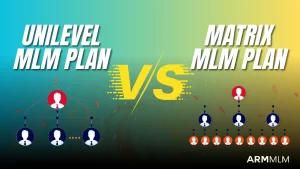
A demo also helps you assess usability, customization options, reporting capabilities, and technical flexibility. For example, a company operating a Binary MLM Plan may need different commission rules and business-volume calculations from a company using a Unilevel or Matrix compensation structure.
Reviewing the software with your actual business requirements in mind makes it easier to identify functional gaps and clarify implementation expectations.
Key Features to Check During an MLM Software Demo
When evaluating an MLM software demo, focus on how the platform handles essential business operations, from compensation calculations to distributor management and financial transactions. Reviewing these features through practical examples helps you determine whether the software aligns with your business model and operational requirements.
1. Compensation Plan Configuration
Compensation plan configuration determines how the software calculates commissions and manages distributor incentives. Check whether the platform supports your business model and allows the required rules to be configured accurately.
During the demo, evaluate:
-
- Plan support: Binary, Unilevel, Matrix, Monoline, Board, Gift, and Hybrid MLM plans.
- Commission rules: Qualifying conditions, commission limits, matching bonuses, and applicable incentives.
- Configuration options: Whether administrators can modify plan settings or require custom development for changes.
2. Distributor Registration and Genealogy Management
Distributor management features help businesses maintain user profiles, track referral relationships, and monitor network growth. Examine how the software handles distributor registration and displays the genealogy structure.
Key areas to review include:
-
- Registration workflows: Distributor onboarding, profile management, and sponsor assignment.
- Genealogy tracking: Sponsor relationships, placement positions, team structures, and individual performance.
- Administrative controls: Search options, distributor activity records, and access to relevant account information.
Efficient genealogy management makes it easier to monitor network activity and manage a growing distributor base.
3. Automated Commission Calculation
Automated commission processing reduces the need for manual calculations and helps maintain consistent records across distributor networks. Ask the provider to demonstrate how a qualifying transaction moves through the system and results in a commission entry.
Check whether the software supports:
-
- Commission processing: Calculations based on configured compensation rules and eligible business activity.
- Eligibility validation: Qualification requirements, applicable limits, and commission conditions.
- Transaction tracking: Commission histories, adjustments, reversals, and reconciliation records.
These checks help you understand how the platform manages commission accuracy and provides visibility into distributor earnings.
4. E-Wallet and Payout Management
E-wallet and payout features help manage distributor earnings, withdrawal requests, and financial transaction records. Review the complete workflow, from recording earnings to processing an eligible payout.
During the demonstration, examine:
-
- Wallet management: Distributor balances, earnings, transaction histories, and adjustments.
- Payment options: Supported payment gateways, payout methods, and currencies.
- Withdrawal workflows: Request approvals, payment failures, duplicate requests, and transaction reconciliation.
Confirm that the required payment integrations are available in your target markets. Also clarify any third-party fees, technical requirements, and additional development costs before implementation.
5. Administrator Dashboard and Business Reports
The administrator dashboard should provide clear visibility into business operations and make routine management tasks straightforward. Review the available reports and determine whether they provide the information your team needs to monitor performance.
Important reporting capabilities include:
-
- Business performance: Distributor registrations, sales, business volume, and network activity.
- Financial reporting: Commission liabilities, payouts, and transaction records.
- Report management: Filters by date, distributor, or team, along with export options where available.
Well-organized reporting helps administrators monitor operational performance, identify discrepancies, and make informed business decisions.
6. Distributor Back Office and Mobile Accessibility
The distributor back office gives members access to their business information without requiring administrator assistance for every routine task. Evaluate the interface from a distributor’s perspective and check how easily users can navigate the available features.
Look for the following capabilities:
-
- Account access: Profile information, referrals, genealogy, earnings, and performance reports.
- Mobile compatibility: A responsive web interface, dedicated MLM mobile app, or both.
- User experience: Simple navigation, accessible information, and relevant notifications across supported devices.
A consistent user experience can help distributors manage their activities more efficiently and access important information when needed.
7. Customization and Third-Party Integrations
MLM businesses may require integrations with external systems to support sales, payments, customer management, and other operational processes. Use the demo to identify which integrations are available and which require additional development.
Consider checking:
-
- Integration support: E-commerce platforms, CRM systems, accounting tools, payment gateways, and identity verification services.
- Technical flexibility: API availability, integration documentation, and compatibility with existing systems.
- Implementation requirements: Data migration, integration testing, maintenance responsibilities, and estimated customization costs.
These details help you assess whether the software can accommodate changing business requirements and future expansion.
8. Security, Access Control, and Data Management
MLM software may process distributor information, financial records, and business transactions, making security and data management important evaluation criteria. Ask the provider to explain the controls available to protect information and maintain reliable operations.
During the demo, review:
-
- Access control: User permissions, administrator privileges, and authentication options.
- Audit and recovery: Activity logs, backups, and procedures for recovering data after a service disruption.
- Data protection: How sensitive information is handled and what safeguards are available.
- Compliance requirements: Relevant privacy, identity verification, and regulatory considerations for your operating markets.
Understanding these controls helps you evaluate how the platform manages sensitive business information and supports operational continuity.
Questions to Ask During an MLM Software Demo
A demonstration is more useful when you prepare specific questions in advance. Instead of relying entirely on a standard presentation, ask the provider to show how the software would handle your business scenarios.
Consider asking:
-
- Can the software support our exact MLM compensation plan and commission rules?
- Can administrators modify business settings without custom development?
- How are commissions calculated, verified, and recorded?
- Which payment gateways and payout methods are supported?
- Can the platform handle our expected distributor volume and transaction activity?
- Are mobile applications, APIs, and third-party integrations available?
- What are the implementation timeline, customization costs, and recurring fees?
- What technical support, maintenance, training, and software updates are included?
Requesting clear answers helps you compare providers based on functionality, implementation requirements, and ongoing operating costs rather than presentation quality alone.
How to Evaluate an MLM Software Demo Effectively
Before scheduling a demo, document your compensation plan, distributor workflow, payment requirements, reporting needs, and expected business scale. Share these requirements with the provider so the demonstration can focus on relevant functionality.
During the session, ask for practical examples rather than general feature descriptions. For instance, request a demonstration of how a distributor is registered, how a qualifying transaction is recorded, how commissions are calculated, and how the resulting transaction appears in the administrator and distributor dashboards.
After the demo, compare the provider’s capabilities against your requirements. Separate standard features from proposed customizations, and request written clarification of pricing, delivery timelines, support terms, and any technical limitations.
A structured evaluation makes it easier to identify a solution that fits your current operations while allowing room for future development.
How ARM MLM Software Supports MLM Business Operations
ARM MLM Software provides AI-powered network marketing solutions designed to support different compensation structures and business management requirements. Its capabilities can be evaluated in areas such as distributor management, genealogy tracking, commission processing, e-wallet functionality, reporting, and plan-specific configuration.
Businesses considering ARM MLM can use a software demonstration to understand how relevant features work and whether the available configuration aligns with their operational needs. The discussion can also cover required integrations, customization expectations, mobile accessibility, and implementation considerations.
Rather than selecting a platform based on feature lists alone, businesses should assess how well its demonstrated workflows match their actual compensation rules and administrative processes.
Conclusion
An MLM software demo provides an opportunity to examine how a platform handles the operational requirements of a network marketing business. By reviewing compensation rules, distributor management, commission processing, payments, reporting, security, and integration capabilities, you can make a more informed software selection.
Prepare your requirements before the demonstration, test realistic business scenarios, and clarify customization costs and ongoing support. A structured evaluation helps you identify an MLM software solution that meets your current needs and can adapt to your business as it develops.
Frequently Asked Questions
What should I look for in an MLM software demo?
Focus on compensation plan configuration, genealogy management, commission calculations, e-wallets, payout workflows, reporting, security, integrations, and ease of use. Ask the provider to demonstrate real business scenarios that match your requirements.
Is an MLM software demo free?
Some providers offer free demonstrations, while others may require a consultation or a defined evaluation process. Confirm whether the demo is free and whether any trial, customization, or implementation charges apply.
Can I test my compensation plan during the demo?
You can ask the provider to demonstrate your plan’s main rules using sample transactions and distributor structures. Confirm whether the plan is supported through existing configuration options or requires custom development.
How long does an MLM software demo take?
The duration depends on the platform’s complexity and the number of features being evaluated. A focused demonstration may take around 30–60 minutes, while a detailed technical review may require additional sessions.
What is the difference between an MLM software demo and a free trial?
A demo is generally a guided presentation led by the provider, whereas a free trial typically gives users temporary access to explore selected features independently. Availability, access levels, and trial restrictions vary by provider.
How do I choose the right MLM software after a demo?
Compare each provider against your compensation plan, essential features, integration needs, security requirements, total cost, implementation timeline, and support arrangements. Request written confirmation of important capabilities before making a final decision.